
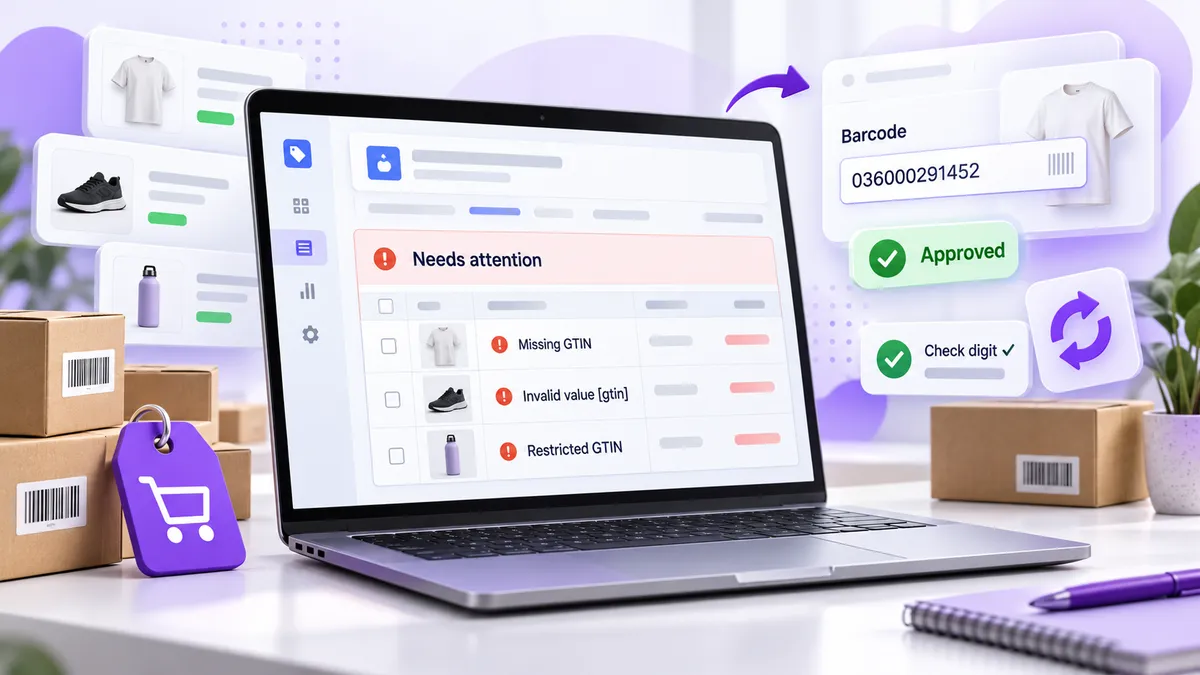
To fix a “missing GTIN” error for a Shopify store, put the product’s real GTIN (its UPC, EAN or ISBN) in the Barcode field of every variant in Shopify. The Google & YouTube channel sends that field to Merchant Center as the GTIN. If the product is your own brand, handmade or custom and has never had a GTIN, don’t invent one. Submit the brand and an MPN instead. Google says the fix can take 24–72 hours to clear from the “Needs attention” list.
“Invalid GTIN” is a different problem. Google received a number, but the number fails a check: the length is wrong, the check digit is bad, it starts with a restricted or coupon prefix, or it belongs to another product. Below is how to tell which error you have and how to fix each one.
Where does Google get the GTIN for a Shopify product?
From the Barcode field, one per variant. In Shopify admin, open Products, pick the product, open a variant, and look in the Inventory section for Barcode (ISBN, UPC, GTIN, etc.). Products without variants have the field on the main product page.
Shopify’s Google & YouTube channel syncs that value to Merchant Center as the gtin attribute. A few consequences follow:
- Every variant needs its own GTIN. A shirt in 3 colours and 4 sizes is 12 products to Google, so it needs 12 GTINs. Google’s spec says each variant “has its own GTIN”.
- An empty Barcode field means no GTIN is sent. Google doesn’t fall back to your SKU, and you shouldn’t put a SKU in the Barcode field.
- Third-party feed apps can map fields differently. If you use a feed app instead of (or alongside) Google & YouTube, check that its GTIN field reads Barcode, not SKU. A supplemental feed in Merchant Center can also override what Shopify sends.
Which GTIN error do you actually have?
Merchant Center reports several GTIN problems with different wording. Find yours in Products → Needs attention and match it here:
| Error in Merchant Center | What it means | Fix |
|---|---|---|
| Missing GTIN (Shopify shows “Missing GTIN or MPN”) | The product looks like it has a manufacturer GTIN, but none was submitted | Add the real GTIN to the variant’s Barcode field, or submit brand + MPN if it has no GTIN |
| Invalid value [gtin] | The value isn’t a valid GTIN: wrong length or a bad check digit | Re-enter the correct 8, 12, 13 or 14 digit code. Check the check digit |
| Restricted GTIN | The code starts with 2, 02 or 04, ranges reserved for in-store and internal use | Replace it with a globally valid GTIN, or leave it blank if the product has none |
| Unsupported GTIN | The code is a coupon number (starts with 05, 99, 981–984) | Replace it with the product’s real GTIN |
| Incorrect GTIN | The code is valid, but it belongs to a different product. Google says this “tends to occur when the GTIN from another product is accidentally re-used” | Find the duplicate and give this product its own correct code |
The last row is the sneaky one. Shopify doesn’t stop you from saving the same barcode on several variants, and duplicating a product copies its barcodes. If you see “Incorrect GTIN” across a group of products, check for duplicates first. Our guide to finding duplicate barcodes on Shopify walks through it.
How do you fix missing GTINs on Shopify, step by step?
- Download the affected list. In Merchant Center, go to Products → Needs attention, filter by the GTIN issue, and use the download icon to export a CSV of affected products.
- Find the real GTIN for each one. For products you resell, it’s printed under the barcode on the packaging, or your supplier can send a list. Never guess. Google’s rule is “Don’t guess or make up a value.”
- Add it in Shopify. For a few products, edit each variant’s Barcode field. For many, select the products, choose Bulk edit, add the Barcode column, and paste the codes in. You can also fix them in a product CSV export and re-import it.
- Protect leading zeros. Spreadsheets love to turn
036000291452into36000291452or3.6E+10. Format the barcode column as Text before you paste or import. - Let the channel sync. The Google & YouTube channel pushes the changes automatically. Don’t edit the same products in Merchant Center as well, because the next sync from Shopify will overwrite your manual edit.
- Wait, then re-check. Google says fixes take 24–72 hours to show on the Needs attention page. If an error is still there after three days, open the product in Merchant Center and compare the GTIN it received with your Shopify Barcode field.
What if your products don’t have a GTIN?
Then you don’t need one for Google. Google says that if you’re the only seller of a product, or it’s a store brand, it “generally won’t have a GTIN, so you don’t need to submit one.” Its own examples of products that may have no GTIN include:
- Store-brand and private-label products
- Custom-made products (custom t-shirts, art, handmade goods)
- Vintage and antique items
- Replacement and OEM parts
For these, submit brand + MPN instead. If you make the product and have no official brand, Google says to use your store name as the brand with an MPN of your choice. In Shopify’s Google & YouTube channel you can add brand and MPN for products without barcodes. If you run your own feed, set identifier_exists to no for new products that have no identifiers at all.
What you must not do is fill the gap with a made-up or borrowed number. A fake GTIN is worse than none. It can trigger an invalid or incorrect GTIN error and get the product disapproved.
Is a GTIN mandatory for Google Shopping?
Not for every product. Google calls the gtin attribute recommended for all products that have a manufacturer-assigned GTIN, and warns that products submitted without one when one exists “may have limited visibility”. So:
- You resell branded products (someone else’s brand): the GTIN exists, so submit it. Leaving it out costs you visibility and can get products disapproved.
- You sell your own brand and have no GTINs: brand + MPN is acceptable to Google.
- You sell your own brand and plan to expand to marketplaces, wholesale or retail: you’ll need GTINs eventually anyway, and assigning them now lets Google match your products consistently across channels.
Should you buy GTINs just to fix Google Merchant Center?
Only if they’re real, unique GTINs and you have a reason to want them. Google says not to submit a GTIN for a product that doesn’t have one. Once you’ve licensed a GTIN for your product, though, it does have one, and using it everywhere you sell keeps your catalog consistent.
If you go that route, there are two legitimate sources:
- GS1, the standards body. GS1 US licenses a single GTIN for $30 one-time, or a company prefix from $250 plus a $50 annual renewal for 10 codes. Codes from your own prefix are registered to your company.
- Dragon Buy GTIN, UPC Barcodes, our app. You buy GS1-originated UPC/EAN/GTIN codes inside Shopify and auto-assign them to products and variants. The first 10 codes are free, then 25 for $19, 100 for $39 or 1,000 for $149, as one-time purchases. Each code comes with a certificate of authenticity.
One honest caveat about the second option: codes bought in the app are unique and GS1-originated, but they are not registered to your brand in the GS1 database. For Google Shopping and your Shopify store that’s normally fine. Amazon is a different story, because it checks the GS1 record against your brand. If Amazon is in your plans, read how to get UPC codes for Shopify products you also sell on Amazon first.
For a cost-by-catalog-size comparison of GS1, resellers and in-app codes, see GS1 vs. resellers vs. buying codes in-app.
How do you check a GTIN’s check digit yourself?
The last digit of every GTIN is a check digit calculated from the others. A typo almost always breaks it, which is why “Invalid value [gtin]” shows up so often after manual entry. Here’s how to check a 12-digit UPC:
- Take the first 11 digits. For
036000291452that’s0 3 6 0 0 0 2 9 1 4 5. - Add the digits in the odd positions (1st, 3rd, 5th…): 0 + 6 + 0 + 2 + 1 + 5 = 14. Multiply by 3: 42.
- Add the digits in the even positions: 3 + 0 + 0 + 9 + 4 = 16.
- Add the two totals: 42 + 16 = 58.
- The check digit is the amount needed to reach the next multiple of 10: 60 − 58 = 2. The code ends in 2, so it’s valid.
GS1 has a free check digit calculator if you’d rather not do the arithmetic. If you’re checking hundreds of codes, a barcode app that validates the whole catalog in one pass will save you an afternoon. Our guide to assigning and managing UPC barcodes covers that workflow.
Why is my Shopify barcode not showing as a GTIN in Merchant Center?
If you’ve filled in the Barcode field and Merchant Center still says the GTIN is missing, work through these in order:
- The sync hasn’t run yet. Give it 24–72 hours before you change anything else.
- The barcode is on the wrong variant. It’s easy to fill in one variant and assume the others inherited it. They didn’t.
- The product isn’t syncing at all. In the Google & YouTube channel, check that the product is available to the channel and shows as approved or pending, not excluded.
- A feed app or supplemental feed is overriding it. If more than one source sends data for the same product, Merchant Center may be reading the other one.
- The code is in the field, but wrong. A placeholder like
000000000000or a SKU in the Barcode field counts as no valid GTIN.
FAQ
Can I make up a GTIN to clear the error?
No. Google’s guidance is explicit: don’t guess or make up a value. Invented numbers fail the check-digit test or collide with real products, and both cause disapprovals. If a product has no GTIN, submit brand + MPN instead.
Does Shopify give me GTINs?
No. Shopify’s Barcode field stores a GTIN, but Shopify doesn’t issue them. GTINs come from the manufacturer, or from GS1 (directly or through a GS1-originated source) if you’re the manufacturer.
Can all variants of a product share one GTIN?
No. Google requires a unique GTIN per variant (each colour or size). Sharing one code across variants is a common cause of “Incorrect GTIN”.
How long until Merchant Center shows the fix?
Google says 24–72 hours after the corrected data reaches Merchant Center. Through Shopify, that’s after the Google & YouTube channel’s next sync.
What does “Restricted GTIN” mean?
The code starts with 2, 02 or 04. Those ranges are reserved for internal and in-store use (store-generated price labels, for example), so Google won’t accept them as global product identifiers.
Do I need a GTIN for handmade or custom products?
No. Custom and handmade goods usually have no GTIN. Use your store name as the brand and your own MPN.
The bottom line
Most Shopify GTIN errors come from one of three things: an empty Barcode field on a product that has a real GTIN, a typo that breaks the check digit, or the same code reused across products. Fix the Barcode field per variant, protect your leading zeros, and give Google 72 hours. If your products are your own brand and you want GTINs on them, get real ones from GS1 or buy GS1-originated codes inside Shopify and auto-assign them. Just check the Amazon caveat first if you sell there.
Related reading
- How to Find Duplicate Barcodes on Your Shopify Store: the usual cause of “Incorrect GTIN”.
- How to Assign & Manage UPC Barcodes on Your Shopify Store: getting codes onto every variant.
- Where to Buy UPC Codes for Shopify (Without Getting Burned): GS1 vs. resellers vs. buying in-app.
Need GTINs for your own-brand products? Dragon Buy GTIN, UPC Barcodes is free to install and includes 10 codes. Questions? Contact us and we’ll help.