
If you sell B2B in the EU, you’ve probably hit this scenario: a German business orders from your store, asks you to remove the VAT, and sends you their VAT ID over email. You manually check it, refund the tax, update the order, and hope you got it right.
That manual workflow is slow, error-prone, and doesn’t scale. Worse, if you get it wrong — either by charging VAT when you shouldn’t, or by exempting a customer who isn’t actually eligible — you can end up owing the tax yourself at audit time.
This guide explains how EU VAT reverse charge actually works, what merchants commonly get wrong, and how to automate the whole thing on Shopify.
What is EU VAT reverse charge?
In a normal EU sale, the seller charges VAT, collects it from the buyer, and remits it to their tax authority. Reverse charge flips that around: the buyer is responsible for accounting for the VAT instead of the seller.
For cross-border B2B sales between EU businesses, reverse charge is the default. If you’re a Shopify store in Spain selling to a verified business in France, you don’t charge French (or Spanish) VAT — the French business handles the VAT on their own return.
The conditions are specific:
- The seller and buyer are in different EU member states
- The buyer is a VAT-registered business (not a consumer)
- The buyer’s VAT ID is valid and active in the VIES database
- The transaction is B2B — for the buyer’s business use, not personal
If any one of those isn’t true, you charge VAT as normal.
Why merchants get this wrong
The rules sound simple, but the operational reality is messy. Here are the four mistakes we see most often.
Mistake 1: Trusting a VAT ID without validating it
A customer types a VAT ID into your checkout. Looks legitimate. You exempt the order. Three months later, you find out the number was inactive, malformed, or belonged to a completely different company.
If the VAT ID isn’t valid in VIES at the time of sale, the exemption doesn’t apply — and you owe the VAT.
Mistake 2: Validating with a regex instead of VIES
Every EU VAT number has a country-specific format (DE followed by 9 digits, FR followed by 11 characters, etc.). It’s tempting to validate with a regex and call it done.
But format-valid numbers are not the same as active numbers. Companies dissolve, deregister, or never had a number in the first place. Only the official VIES (VAT Information Exchange System) database tells you whether a number is currently valid.
Mistake 3: Charging VAT to domestic B2B customers
Reverse charge only applies to cross-border EU B2B sales. If you’re a German store selling to a German business, you charge German VAT as normal — even if they have a valid VAT ID.
This trips up merchants who treat any valid VAT ID as a free pass to skip tax.
Mistake 4: Not keeping evidence
At audit, your tax authority will ask you to prove that each exempted order met the reverse-charge conditions. That means storing, for every B2B order:
- The VAT ID provided
- The result of the VIES check (and ideally the timestamp)
- The company name and country returned by VIES
- The link between that VAT ID and the specific order
If you can’t produce that evidence, the exemption is void.
The manual workflow (and why it breaks)
Most Shopify merchants who handle EU B2B without an app end up doing some version of this:
- Customer emails to ask about VAT exemption
- Merchant checks the VAT ID manually on the VIES website
- Customer places the order with VAT charged
- Merchant manually refunds the VAT portion
- Merchant adds a note to the order or updates the customer record
- Merchant tries to remember what they did at month-end
This breaks for obvious reasons. It blocks the customer from completing checkout in one go. It puts manual data entry in the critical path. And the audit trail lives in your inbox.
What a good automated workflow looks like
A proper automation should do four things, in this order:
1. Capture the VAT ID before checkout. Ideally on the cart or product page, so the exemption is applied before the customer even reaches checkout. Capturing it after the fact means refunds and order edits.
2. Validate against VIES in real time. Not a regex. Not a cached list. A live call to the official VIES service so the validation reflects the current state of the database.
3. Apply the exemption automatically. The customer should see the VAT come off the order without anyone needing to intervene. This usually means creating or updating a Shopify customer record with a tax-exempt flag tied to that email.
4. Store the evidence. The VAT ID, validation result, company name, and country need to live somewhere durable — typically customer metafields and order notes — so you can produce them at audit.
Automating EU VAT exemption on Shopify
Shopify has the right primitives for this — customer tax exemptions, metafields, order notes — but it doesn’t ship VIES validation or a B2B VAT widget out of the box. You either build it yourself or use an app.
Our EU VAT Tax Exemption app handles all four steps above:
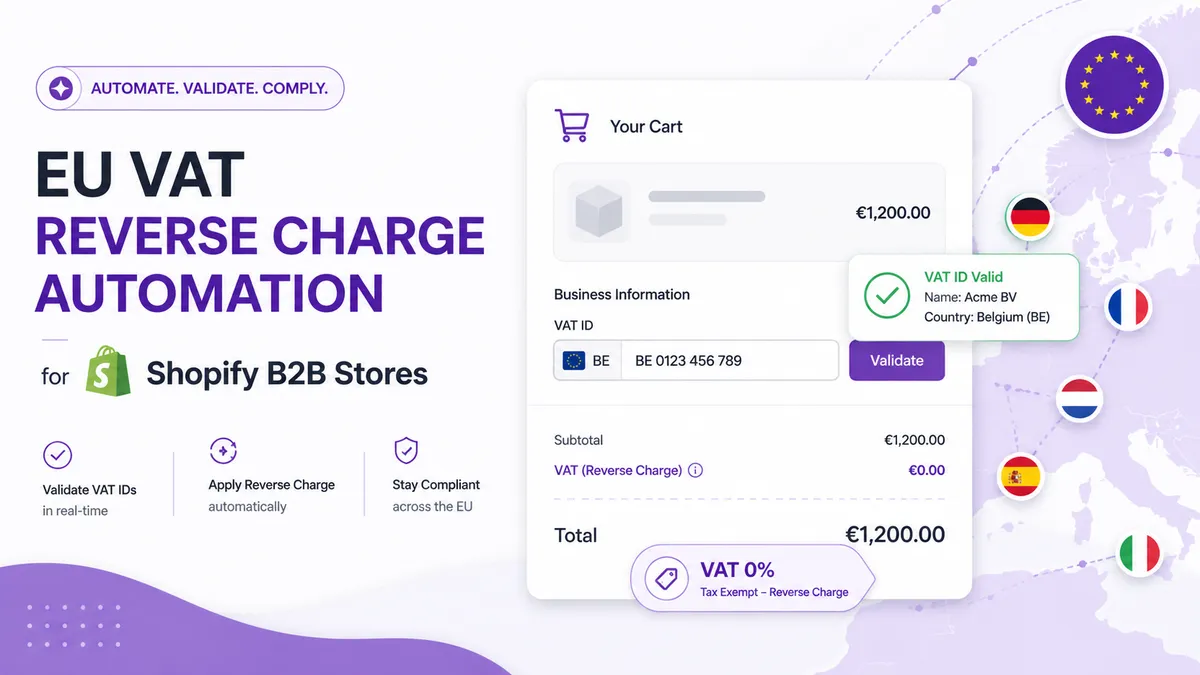
- Adds a customizable widget to the cart where customers enter their email and VAT ID
- Validates the number in real time against the official VIES database across all 27 EU countries
- Creates a Shopify customer with the tax-exempt flag set, so checkout automatically shows zero VAT
- Stores the VAT details in customer metafields, with optional tags and order notes for invoicing and internal workflows
- Supports 25 EU languages with customizable widget text
The customer enters their VAT ID once on the cart. If it validates, they check out tax-free. You get a clean audit trail without any manual work.
A quick checklist for EU B2B sellers
Whether you use an app or build something yourself, here’s what your VAT workflow needs to handle:
- Real-time validation against VIES (not regex)
- Cross-border check — same-country sales should still charge VAT
- Tax-exempt flag set on the customer before checkout, not after
- VAT ID, company name, and country stored on the customer record
- Per-order link between the VAT ID and the order it applied to
- A way to handle invalid or expired VAT IDs gracefully (fall back to charging VAT)
- Multilingual widget text if you sell across the EU
Get those right and EU B2B stops being a manual headache.
Where to go from here
If you’re already getting B2B inquiries and handling them by email, automating the workflow usually pays for itself within the first month — both in time saved and in the orders you stop losing to a clunky checkout experience.
You can install the EU VAT Tax Exemption app on the Shopify App Store. There’s a 7-day free trial, so you can test it end-to-end with a real VAT ID before committing.
Related reading
- Shopify VAT Exemption: How It Works and the Best App to Automate It — how exemptions work on Shopify and how to remove the manual work.
- How to Remove VAT for EU Customers with a VAT ID on Shopify — how to exempt VAT-registered EU business customers at checkout.