
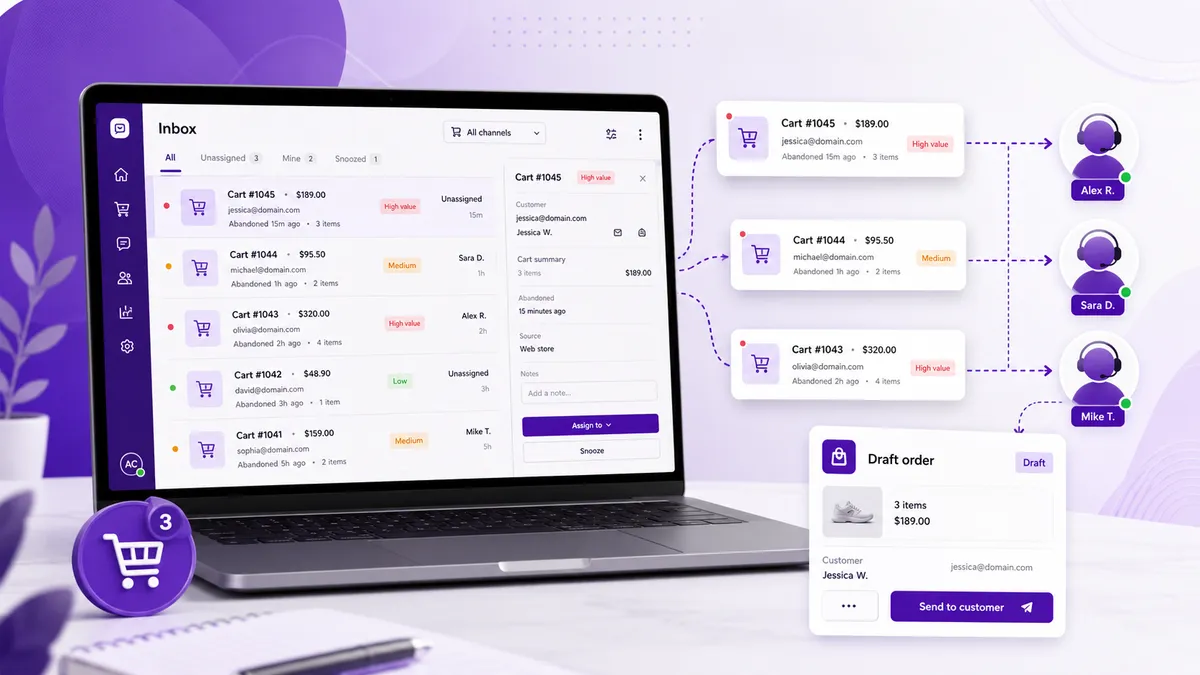
If your store has a sales team, abandoned carts aren’t just a marketing automation problem — they’re a follow-up opportunity your staff can act on directly. A rep who reaches out to a shopper who just abandoned a $500 cart can answer questions, remove friction, and close a sale that an automated email never would.
But that only works if the right person hears about the cart fast. A daily report is useless — by the time someone reads it, the shopper is long gone. What your team needs is a real-time alert that lands where they work, with enough detail to act on immediately.
Here’s how to set that up on Shopify using Cart Radar.
Why Route Cart Alerts to Sales Staff (Not Just Automation)
Automated abandoned-cart emails are great at scale, but they’re one-size-fits-all. A human rep brings things automation can’t:
- A real answer to the specific question that stalled the sale
- Personalized reassurance on a big, considered purchase
- Flexibility — a tailored offer, a shipping workaround, a quick call
- Relationship building that turns a one-time buyer into a repeat customer
For high-value carts especially, a personal follow-up from a real person converts far better than another templated email. The trick is getting the alert to that person while the cart is still warm.
Step 1: Install Cart Radar and Define “Worth a Follow-Up”
Install Cart Radar from the Shopify App Store, then set a cart-value threshold that matches what’s worth your team’s time. If a rep’s follow-up only makes sense above a certain order size, set the threshold there — so staff only get pinged about carts that justify a personal touch.
Pair that with an inactivity window — how long a cart sits idle before it’s flagged. A tighter window means your team hears about abandonments sooner.
Step 2: Choose How Alerts Reach Your Team
Cart Radar sends instant email and Slack notifications. Pick the setup that fits how your staff actually work:
Email to a shared inbox. Point alerts at a monitored address like [email protected] so any available rep can pick up the cart. Simple, and it works with the tools your team already uses.
Email to individual reps. If specific staff own follow-ups, route alerts straight to their inboxes so there’s no ambiguity about who responds.
Slack channel for the team. For teams that live in Slack, drop alerts into a dedicated channel like #cart-alerts. Everyone sees the cart in real time, and whoever’s free can claim it — no cart falls through the cracks.
Each alert carries the cart’s value and contents, so your staff can triage at a glance and prioritize the biggest opportunities first.
Step 3: Give Staff a Clear Way to Act
An alert is only useful if the rep knows what to do next. From a Cart Radar alert, your team can:
- Email the customer directly with a personal check-in — answering the exact concern that stopped them
- Create a draft order with the shopper’s items already loaded, then send a ready-to-pay link so returning to checkout is a single click
Set a simple team playbook: email when there’s a question or objection to resolve, create a draft order when the shopper was ready and just needs a frictionless path back. Consistency here is what turns alerts into recovered revenue.
Step 4: Assign Ownership So Nothing Slips
The fastest way to waste good alerts is to leave it unclear who responds. A few lightweight rules go a long way:
- Define who owns follow-up — a rotating “cart duty,” a specific rep, or first-available in a shared channel
- Set a response-time target — e.g. reach out within 30 minutes while intent is high
- Confirm the claim — in Slack, a quick “I’ve got this” prevents two reps working the same cart
Step 5: Track What Your Team Recovers
Cart Radar’s recovery tracking shows which alerted carts came back and totals the revenue recovered — so you can measure your team’s follow-up as a real sales channel, not a guess. Use it to spot which reps and approaches convert best, and to tune your threshold and window over time.
Turn Your Sales Team Into a Recovery Engine
Your staff can only chase the carts they know about. Give them real-time alerts on the carts worth their time, a clear way to act, and clear ownership — and abandoned checkouts become one of the easiest sales channels you have.
Cart Radar’s free plan includes up to 5 alerts a month to test the workflow with your team. The Pro plan ($29/month, or $228/year) unlocks unlimited alerts so no high-value cart goes unnoticed.
Install Cart Radar and get your sales staff on top of abandoned carts today.